

The customers list is accessed via the left menu item. You will notice in the screenshot below that you can also access a filtered version of this list by searching for matching customers using the quick search field in the top menu.
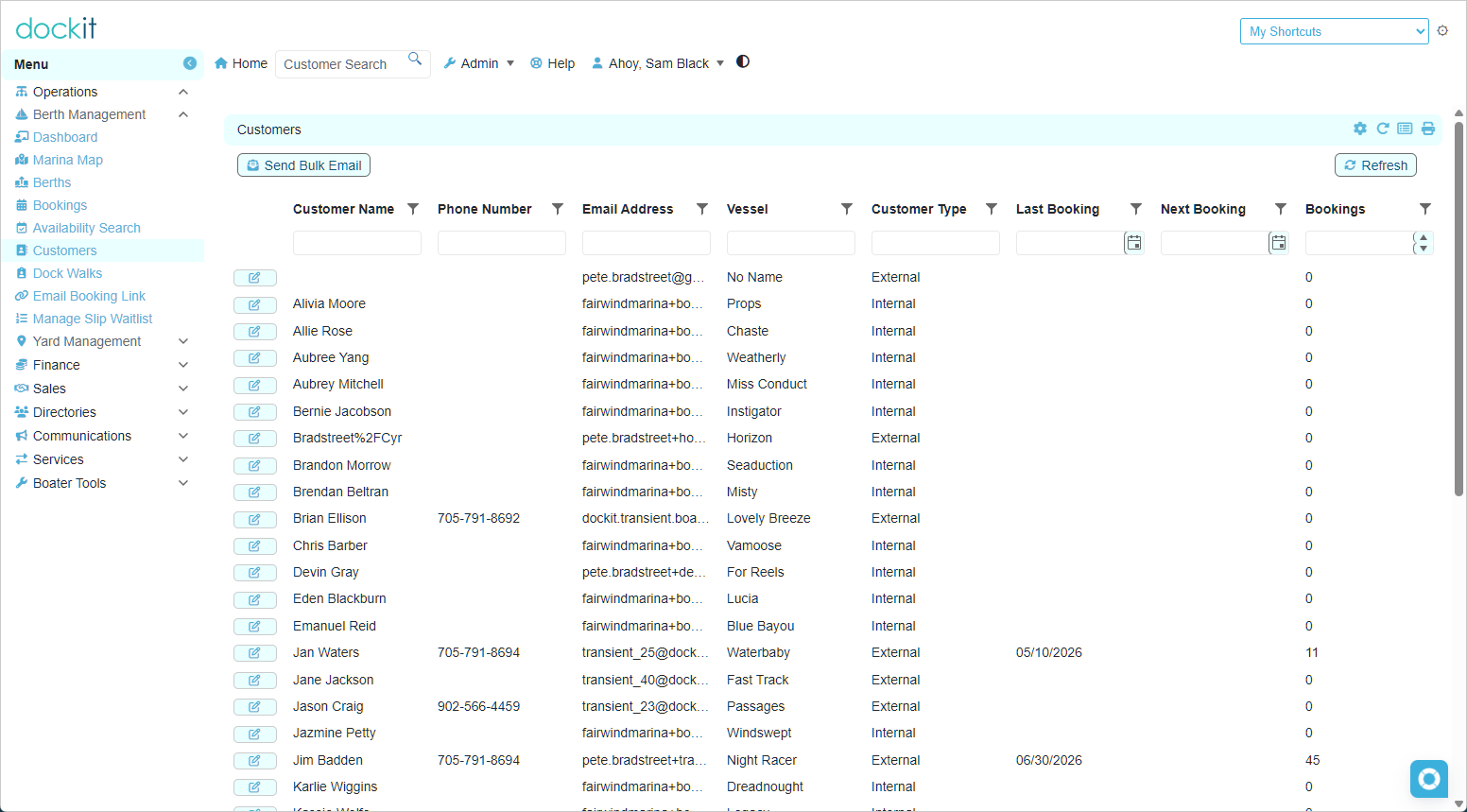
You will notice that there is a column titled Customer Type, Internal customers are your regular marina customers that typically have seasonal slip assignments and store their vessel at the marina. External customers are transient customers that visit the marina. Both types of customers are provided with Dockit accounts but external customers are largely restricted to managing their bookings and reviewing upcoming events and promotions whereas internal customers have a robust feature set of marina-specific and personal boater tools.
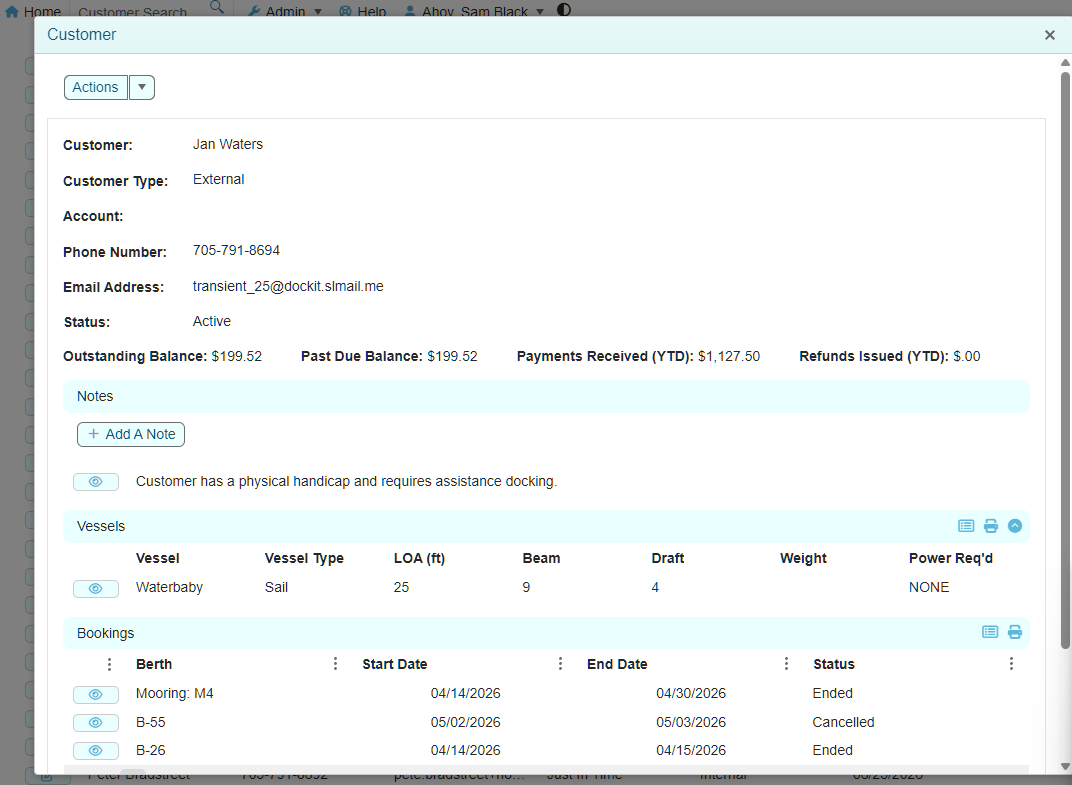
The customer details form provides editing capabilities for the customer and also displays their vessel(s) information and previous/future bookings information.
When a new transient booking is created customer and vessel information is automatically created/updated to ensure a smooth user experience for returning boaters.
The Actions drop-down allows you to edit the boaters email address if staff entered it incorrectly when creating a booking. In addition, any contact details modified in the boaters vessel record will also be carried over to the customer record such as name or phone number.