

Creating events in Dockit is a easy way to let your boaters know how they can participate in activities.
Events List
Click on "Communications" and then "Events" in the left menu.
You will see a list of events that are either upcoming or that have a status of "Draft" that may not have a date set yet.
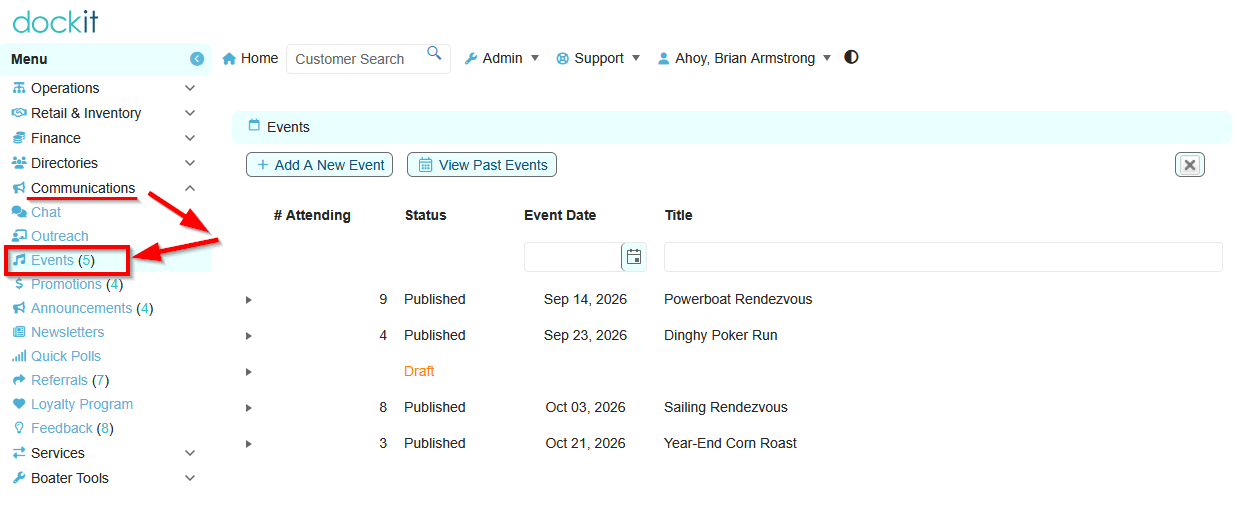
What can you do on the events list?
Click the "Add A New Event" button to begin to draft a new event.
Click the "View Past Events" button to see a list of events that have already happened.
Click on any Event in the list to Edit it's details.
Click on the Expansion Triangle to the left of the event to expand a read only preview of the event in "mobile" style.
Draft Event Details
New events will have a status of "Draft" and will only show to marina users with the Events permissions.
You can set the properties of the event such as:
Title
Start Date & Time
End Date & Time
Display From Date (will not show until this day)
Display Until Date (will not show after this day)
Upload an image (size and resolutions recommendations to follow). You can also update or change your image later.
Indicate the location for the event
Create a description in markup text so you can use standard text formatting like bold or italic text.
Set an image caption that will show to boaters under the image.
Set the event to show as a pop-up to a boater when they login.
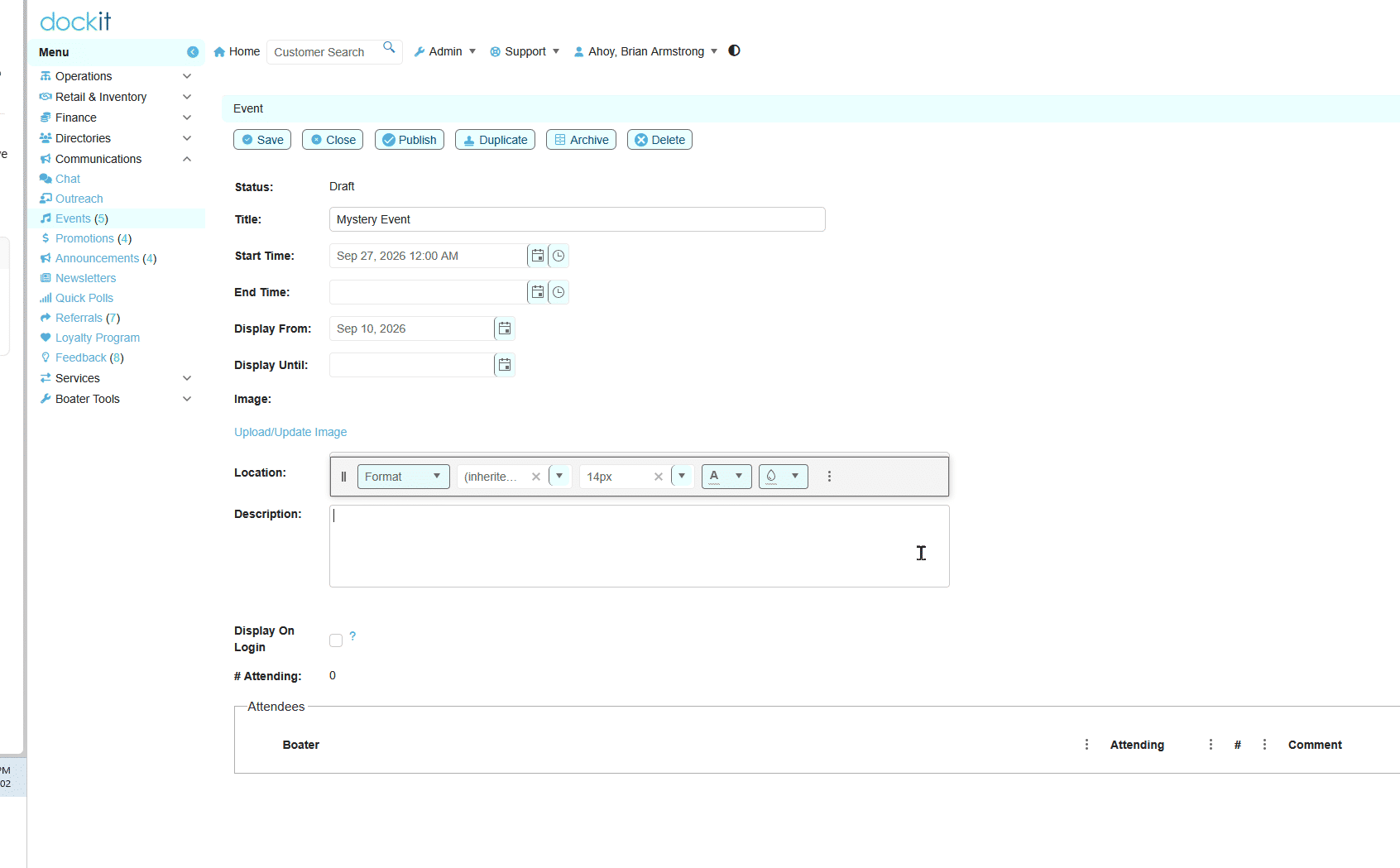
What can you do with a published event?
Save or Close
Click the "Publish" button and your event will be discoverable by your boaters from their dashboard when they login and from their Events item in their left menu.
Click the "Duplicate" button to make a clone of an existing or recurring event.
Click the "Archive" button to hide an event from view.
"Delete" and event and it will no longer be in the system at all. All attending should also no long be able to find the event.
Published Events
Opening an event with a status of "Published" will give you a few different options including:
All the same editing ability as for draft Events, but also
It will also show the boaters that have responded that they are attending, or are "not sure", with their estimated head count and any comments they would like to add.
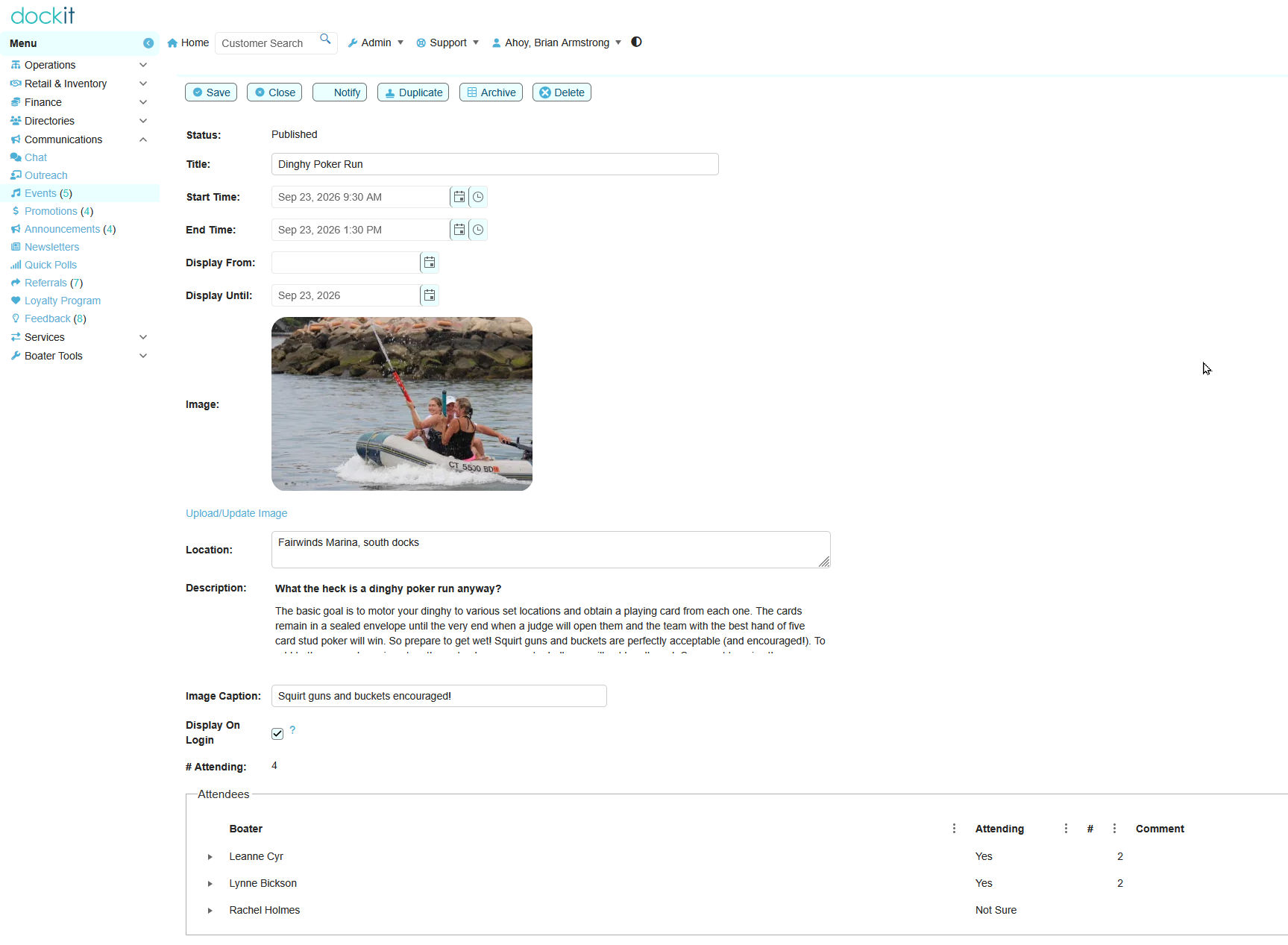
What else can you do with a published event?
Click the "Notify" button and you will be sending an Email Notification to your boaters. You can choose to send updates to only boaters who have not already gotten this event notification or send again to all boaters!