

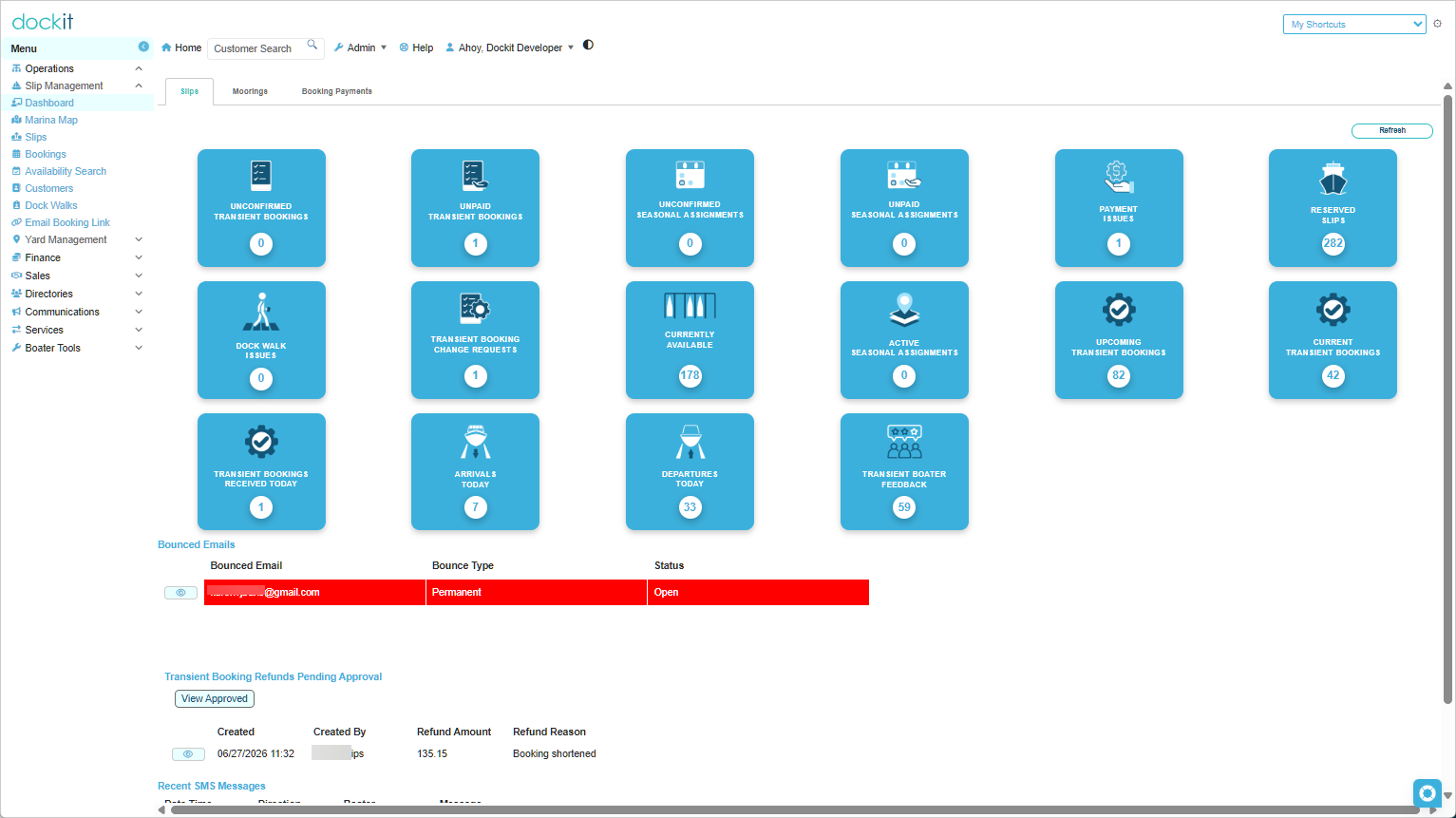
The slip management dashboard provides a wealth of information at your fingertips. Various tiles provide counts and drill-down capabilities to detailed underlying queries. For example, if we take a look at the Transient Booking Change Requests tile in the screen capture above, you will see that there are five pending requests. Clicking on that tile displays the following drill down query:
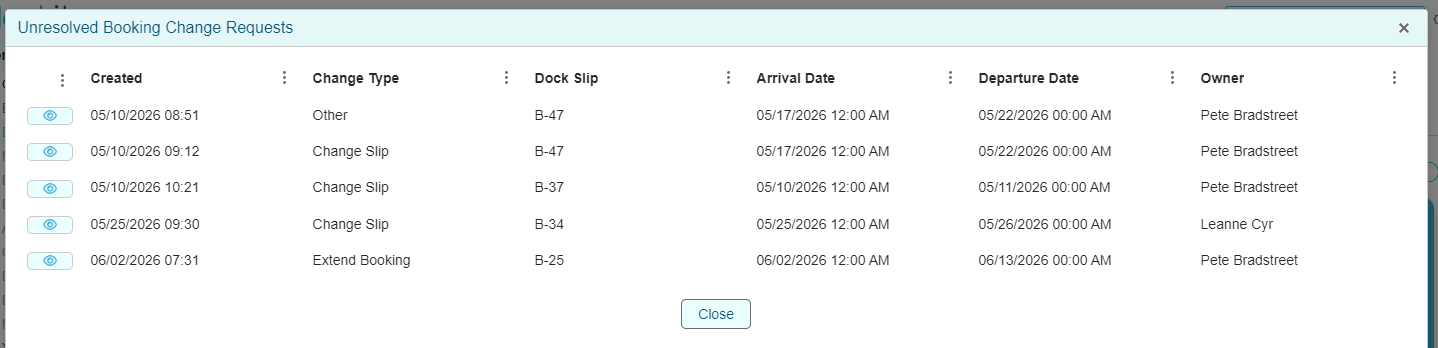
You can then click on any query row to drilldown to a to see the change request details:
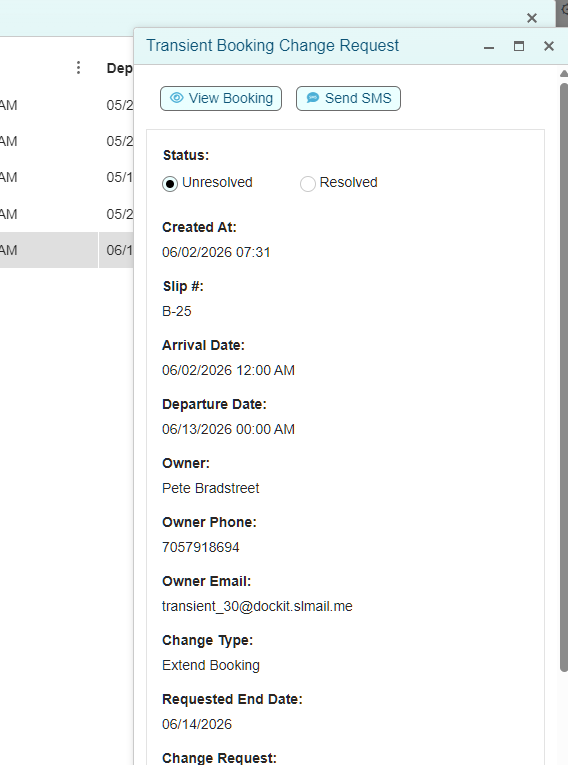
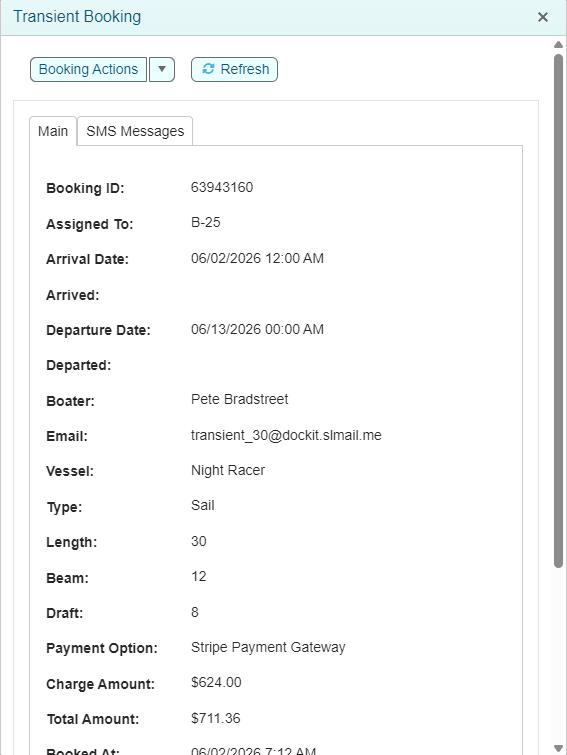
From this form you can communicate directly with the boater via text message if desired or you can view the booking to resolve the request. Various booking actions will be displayed depending the status of the particular booking such as:
Sending payment reminders
Sending general emails
Modifying the booking (dates or assigned slip)
Cancelling unpaid bookings
Recording manual payments
Issuing refunds
Ending active bookings early
Re-instating cancelled unpaid bookings for payment
Printing Receipts
Available Dashboard Tiles:
Unconfirmed Transient Bookings - Bookings on hold pending confirmation by staff.
Unpaid Transient Bookings - Bookings pending payment via Stripe payment gateway, POS or other payment methods.
Unconfirmed Seasonal Assignments - Assignments pending confirmation by staff.
Unpaid Seasonal Assignments - Assignments pending full or partial payment.
Payment Issues - View bookings that require staff intervention due to failed payments such as insufficient funds.
Reserved Slips - View slips that are reserved/blocked. Reserved slips prevent bookings and assignments during the duration of the reserve/block.
Dock Walk Issues - View and resolve any issues reported during staff dock walks such as dock issues, unknown slip occupants etc..
Transient Booking Change Requests - View and resolve booking change requests submitted by transient boaters from their customer portal. Booking extensions and reductions can generate payment requests or refunds.
Currently Available - Provides a birds eye view of available slips at current time
Active Seasonal Assignments - Provides a count and quick access to all active seasonal assignments
Upcoming Transient Bookings - Provides a count and quick access to all paid upcoming bookings
Current Transient Bookings - Provides a count and quick access to all paid bookings for the current date
Transient Bookings Received Today - Provides a count and quick access to all bookings created today by staff or transient boaters
Arrivals Today - Provides ready access to bookings that are starting today. From the drill down query, you can manually mark whether the boat has physically arrived if desired.
Departures Today - Provides ready access to bookings that are ending today. From the drill down query, you can manually mark whether the boat has physically departed if desired.
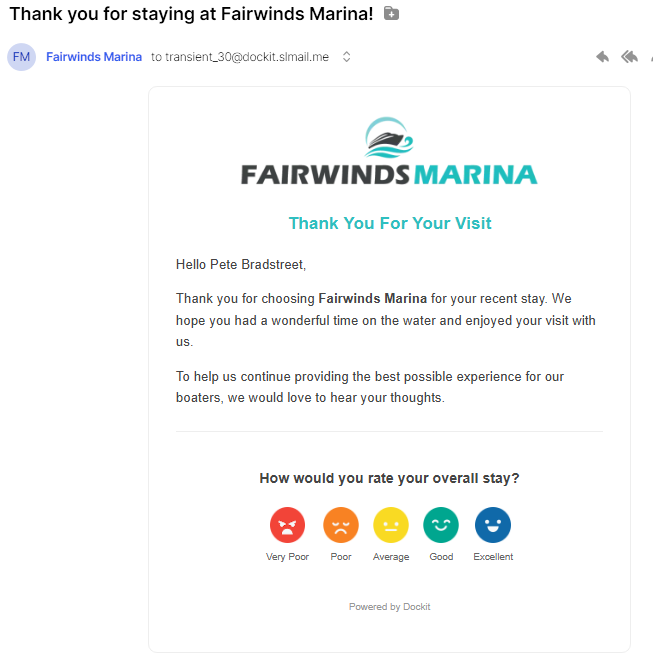
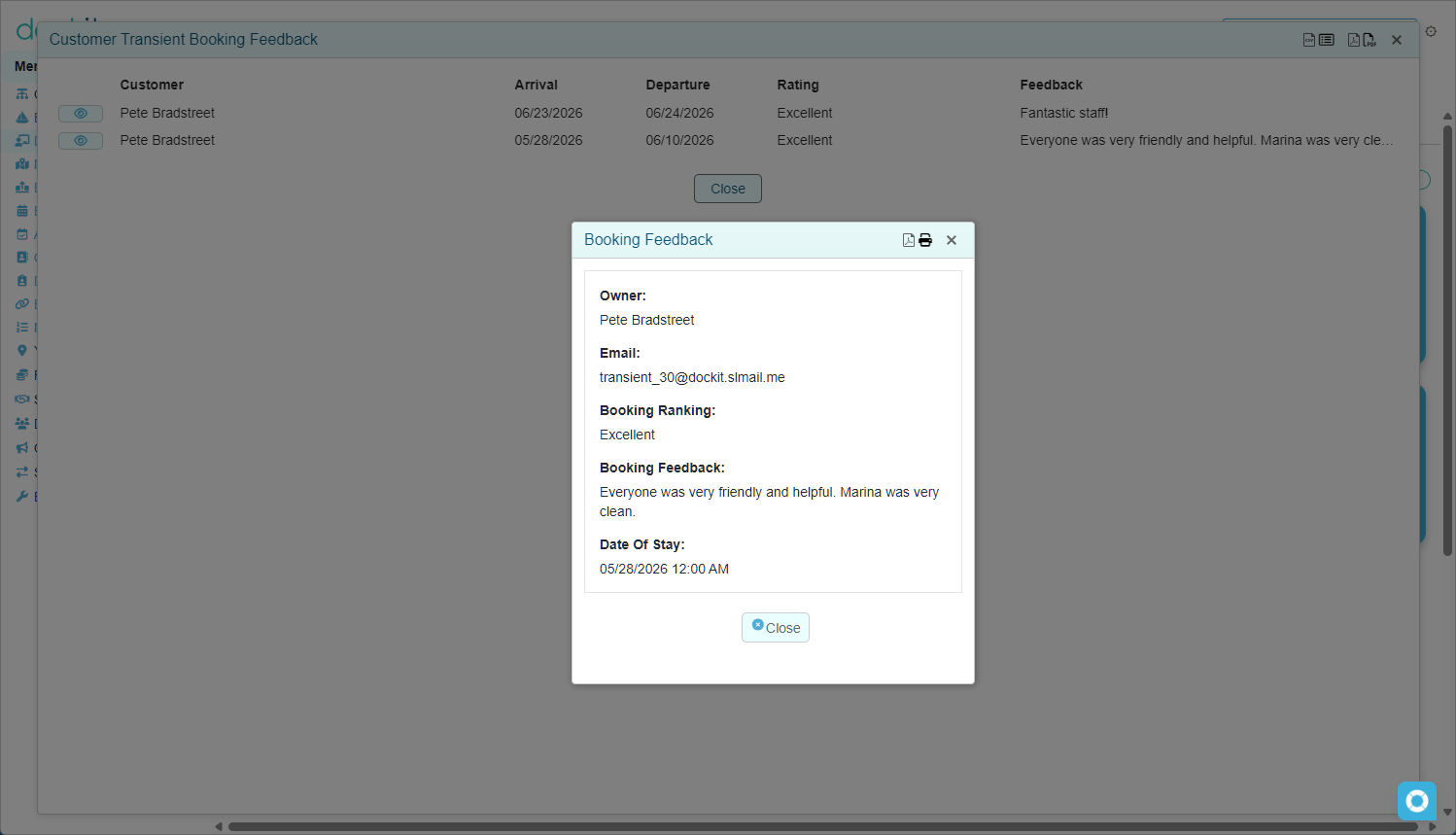
Transient Boater Feedback - Automated emails are sent to each transient boater 48 hours after their departure. This tile provides access to the detailed ratings and comments.
We also provide several useful queries that assist in the day-to-day operation of the marina.
Recent SMS Messages. Dockit provides the ability for boaters and the marina to send text messages that are attached to the relevant bookings.
Bounced Emails. Manage email address errors to ensure that email communications are received by transient boaters effectively
Transient Booking Refunds Pending Approval. If you choose to require specific authorized staff to approve all refunds, they can access them from this list in order to approve/process the refunds.