

The transient booking form provides you with full information about the booking and provides a range of management functions depending on the payment method and status. This form can be accessed from many different ways including the slip bookings dashboard, bookings query and more.
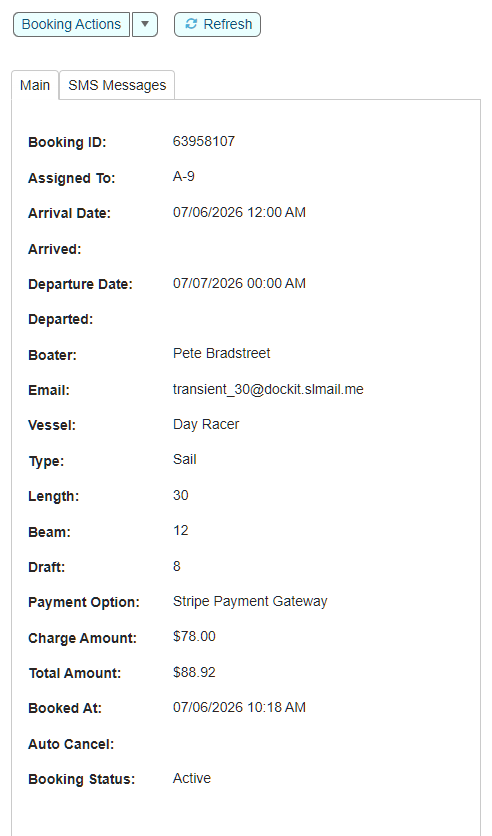
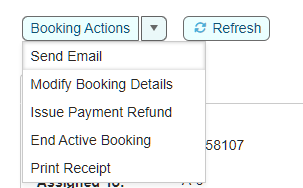
Let's take a look at the various options available from this form.
Send Email
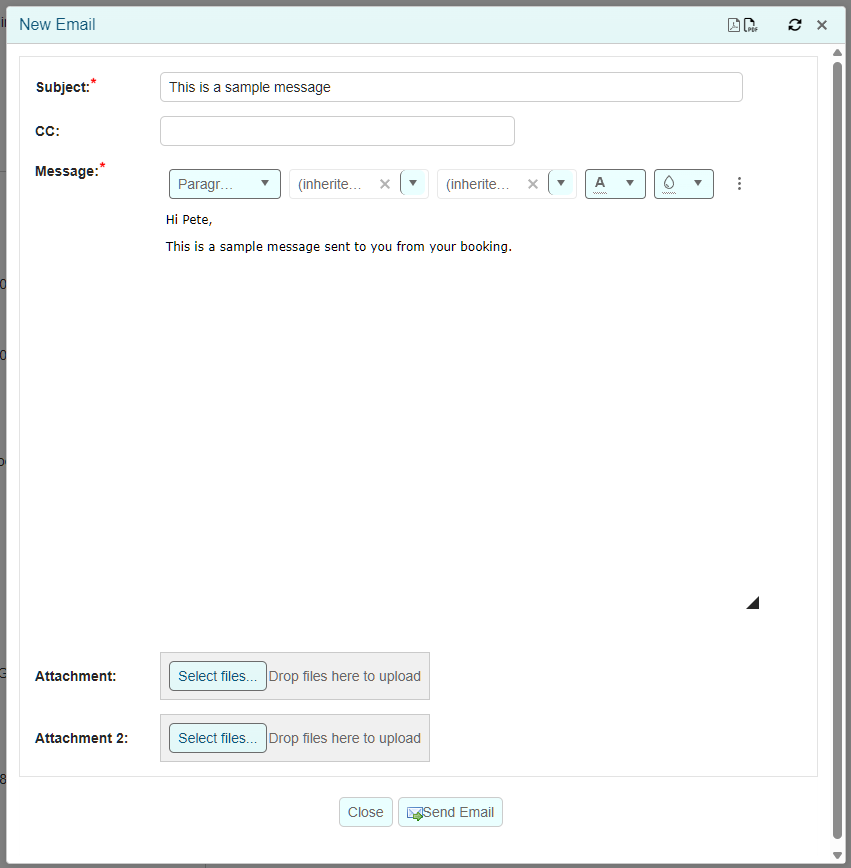
When you click on `Send Email` you will be presented with an email entry form.
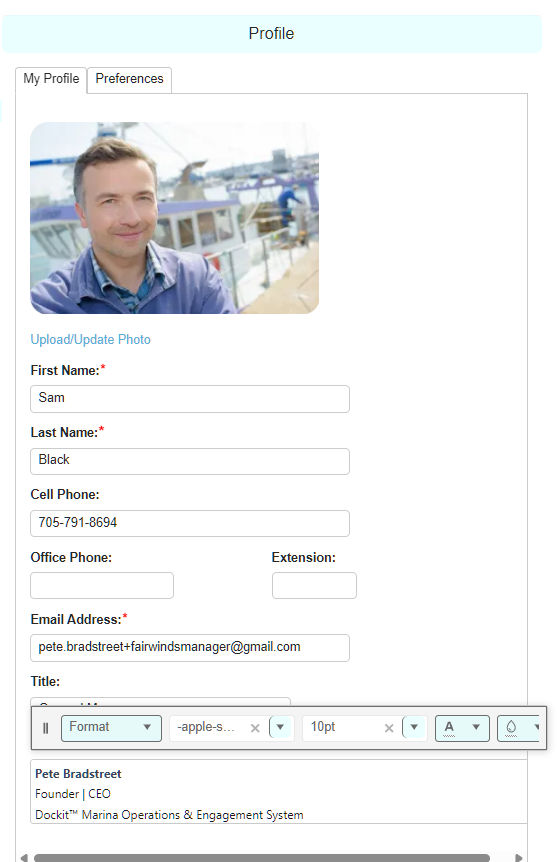
You can see in the received emails that the from address is your name and email address. You will also notice that the email is branded for your marina. Lastly, you will notice that the system has pulled my email signature from my profile record.
Change Email Address
If you need to change the customer and vessel email addresses due to a change of email or incorrect staff entry, you can easily update both records at the same time using this dropdown action.
Blacklist Customer
If you wish to prevent boaters with a specific email address from booking with your marina for any reason, you can simply add them to the blacklist and they will be prevented from future self booking of slips.
Archive Customer
If you wish to remove specific customers from appearing in the customers list, you can archive them. There record will not be deleted but it will clean up your list from displaying.