

Immediate is the fulfilment method for an in-person sale that is fulfilled at the time of sale. For an Immediate Sales Order paid successfully through the Stripe Payment Gateway, POS (point of sale) or other methods such as cash, on account etc... , Dockit completes the order when payment is received.
When to use Immediate
Choose Immediate only for an In Person sale where the customer receives the item or service at the time of the transaction. The Sales Order screen indicates that Immediate fulfilment is available only for In Person sales.
Completion sequence
Create and review the Sales Order, including any required tracked inventory instance.
Set Order Source to In Person and Fulfillment Method to Immediate.
Use the approved payment method and wait for successful payment confirmation.
For the verified Stripe Payment Gateway path, Dockit completes the Immediate order once payment is received.
Use View Completed Orders from the Sales Orders list when you need to review completed order history.
Do not apply this rule to every order: Payment confirmation does not automatically mean that a Pickup, Shipping or Service order has been fulfilled. Those fulfilment methods require their own verified operational steps.
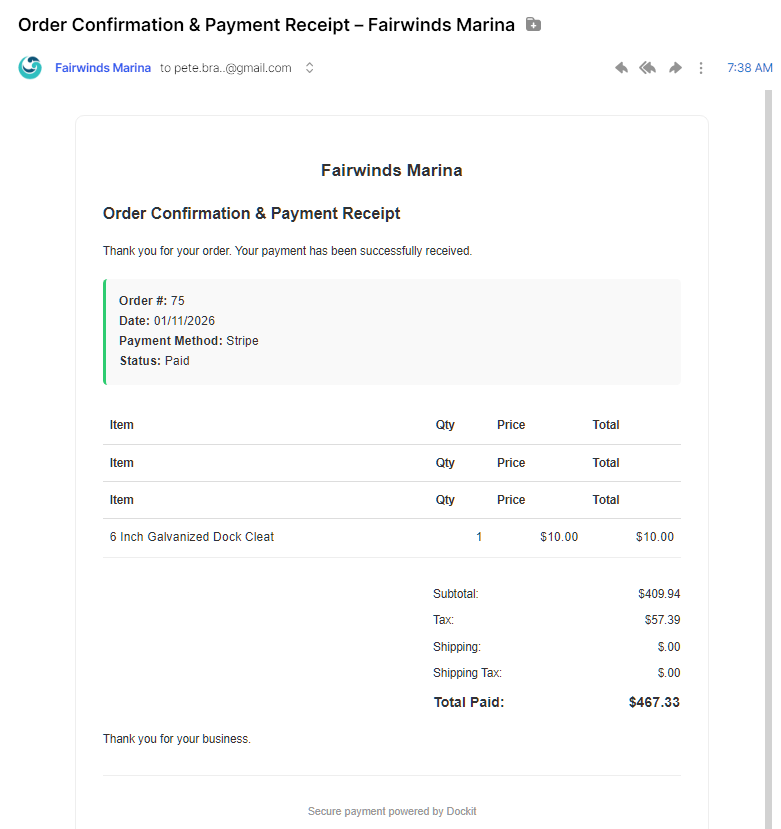
Verification point: A successful payment receipt shows that the payment was received. Confirm that the order is present in completed-order history before relying on it as a completed transaction record.
Related articles
Sales Orders
Sales Order Payment
Fulfilling Orders - Pickup, Shipping and Delivery