

Use an on-hand adjustment to record a controlled correction to a stocked item’s quantity, such as an item found during a stock check. Dockit updates the applicable warehouse/location quantity, recalculates the item’s total on hand, and creates an audit-log entry.
Before making an adjustment
Confirm that you have opened the correct Inventory Item.
Check the current on-hand quantity and the applicable warehouse/location.
Use an adjustment only for a genuine correction. Do not use it to record a sale, receipt or transfer that has its own Dockit workflow.
Prepare a clear reason that another staff member can understand later.
Adjust the on-hand quantity
Open the required item from Retail & Inventory > Inventory.
Select Actions > Adjust On Hand Quantity.
Enter the signed quantity change in Adjustment.
Enter a specific Adjustment Reason.
Select Next to post the adjustment, or Close to leave without posting it.
After Dockit returns to the item, refresh or reopen it and confirm the revised on-hand quantity.
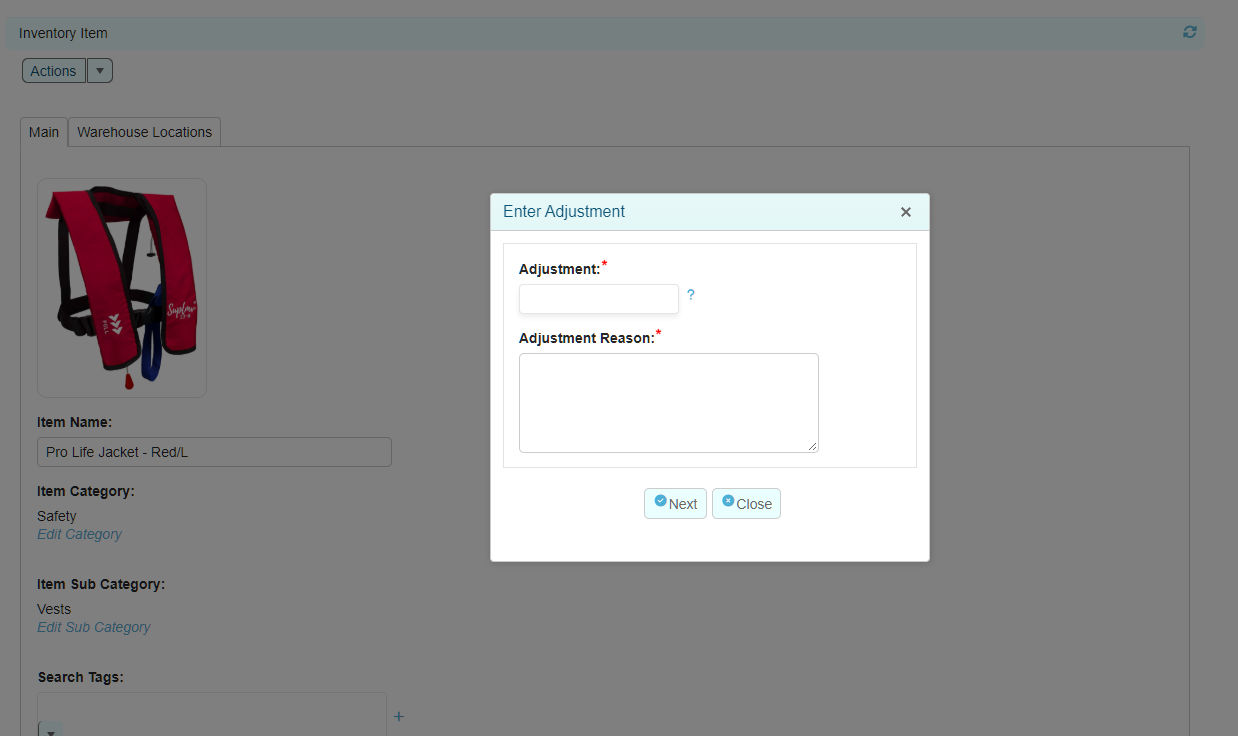
Use a change, not a target: the Adjustment field is added to the existing quantity. For example, if on hand is 99 and one item is found, enter +1 to reach 100. Do not enter 100 unless you intend to add one hundred units.
Review the Inventory Change Log
Open the item’s Actions menu.
Select View Transaction Log.
Find the relevant entry and select it to view its detail.
The Inventory Change Log shows Date Time, Part #, Item Description, Entry Type, Entry, Adjustment and Resulting Qty. Entry detail can also show the item, part number, employee and note.
Example entry |
Meaning |
|---|---|
Opening Balance |
An initial recorded quantity. |
On Hand Adjustment |
A staff correction to on-hand quantity, with a signed adjustment and stated reason. |
Sales Order |
Inventory movement associated with a sale. |
Warehouse Switch |
A warehouse-related movement or record change. |
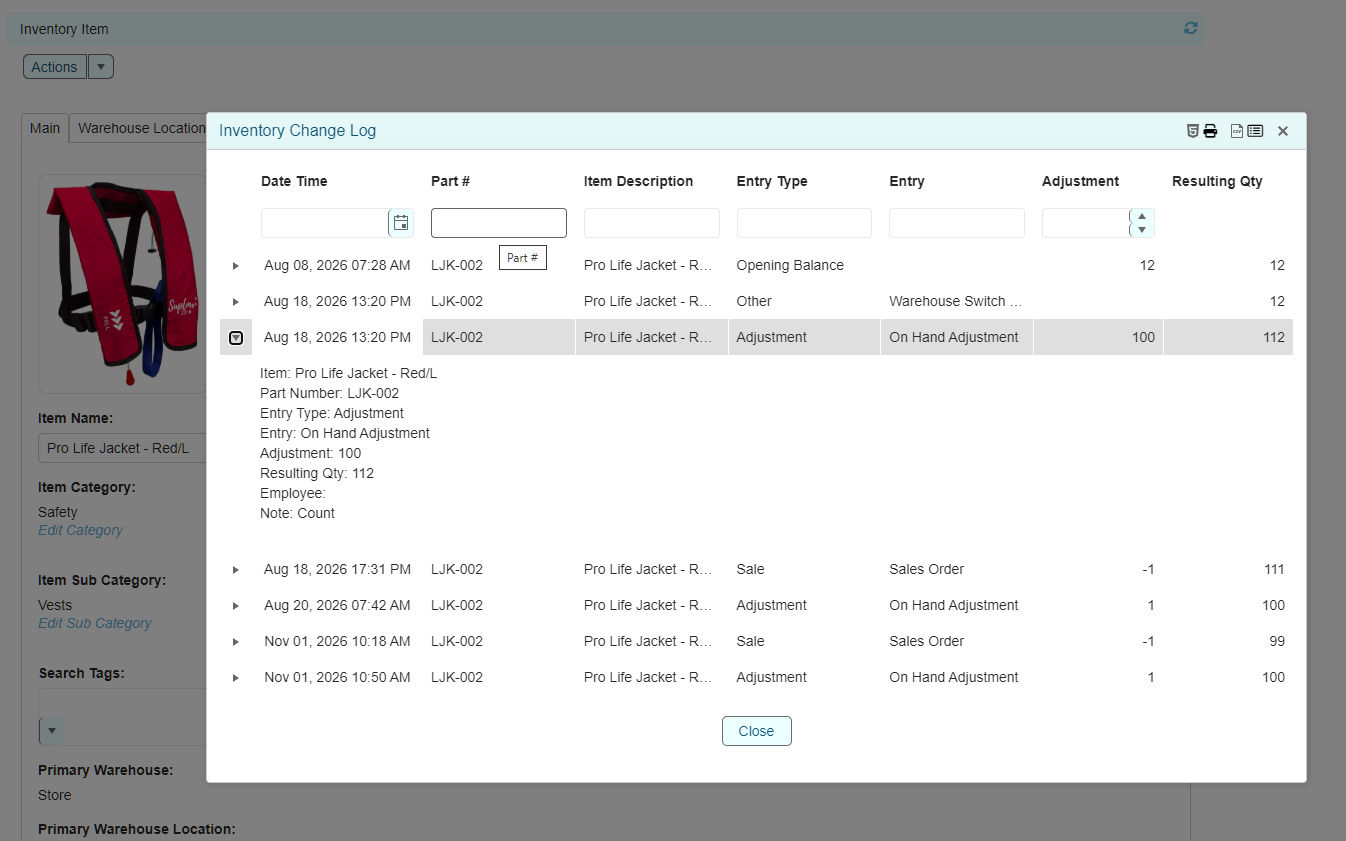
Audit example: a +1 adjustment posted to a location with 99 on hand produces a resulting quantity of 100. The log records the adjustment as an Adjustment entry and preserves the supplied reason.
Related articles
Inventory Items
Warehouses and Locations
Stock Visibility - Out of Stock and Low Stock