

The Retail & Inventory Summary is the suite’s bundled management view. Use it to review sales and inventory activity for a selected period, while also seeing the current inventory position.
Run the summary
Expand Retail & Inventory > Reports.
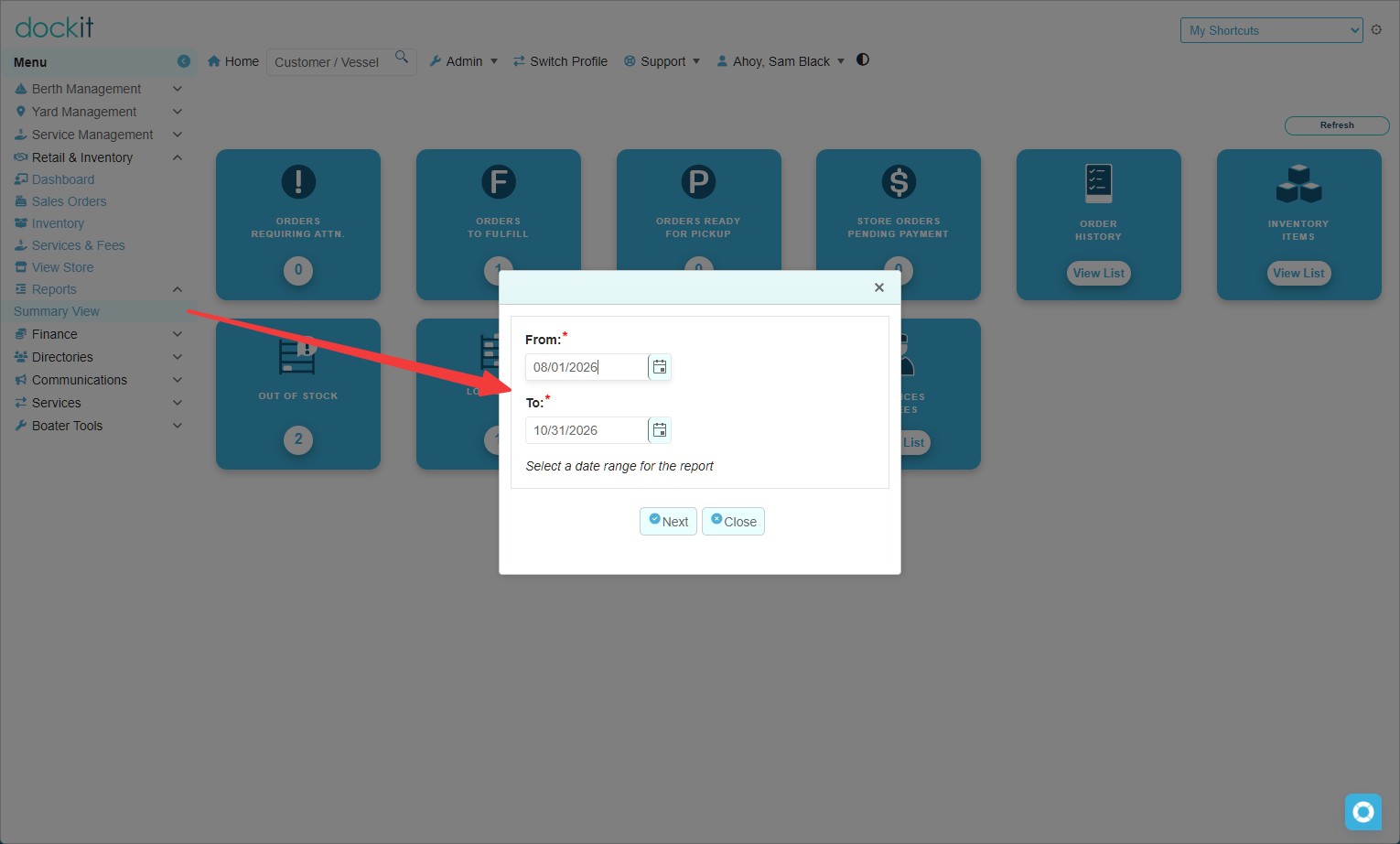
Select Summary View.
Enter the required From and To dates.
Select Next to generate the summary.
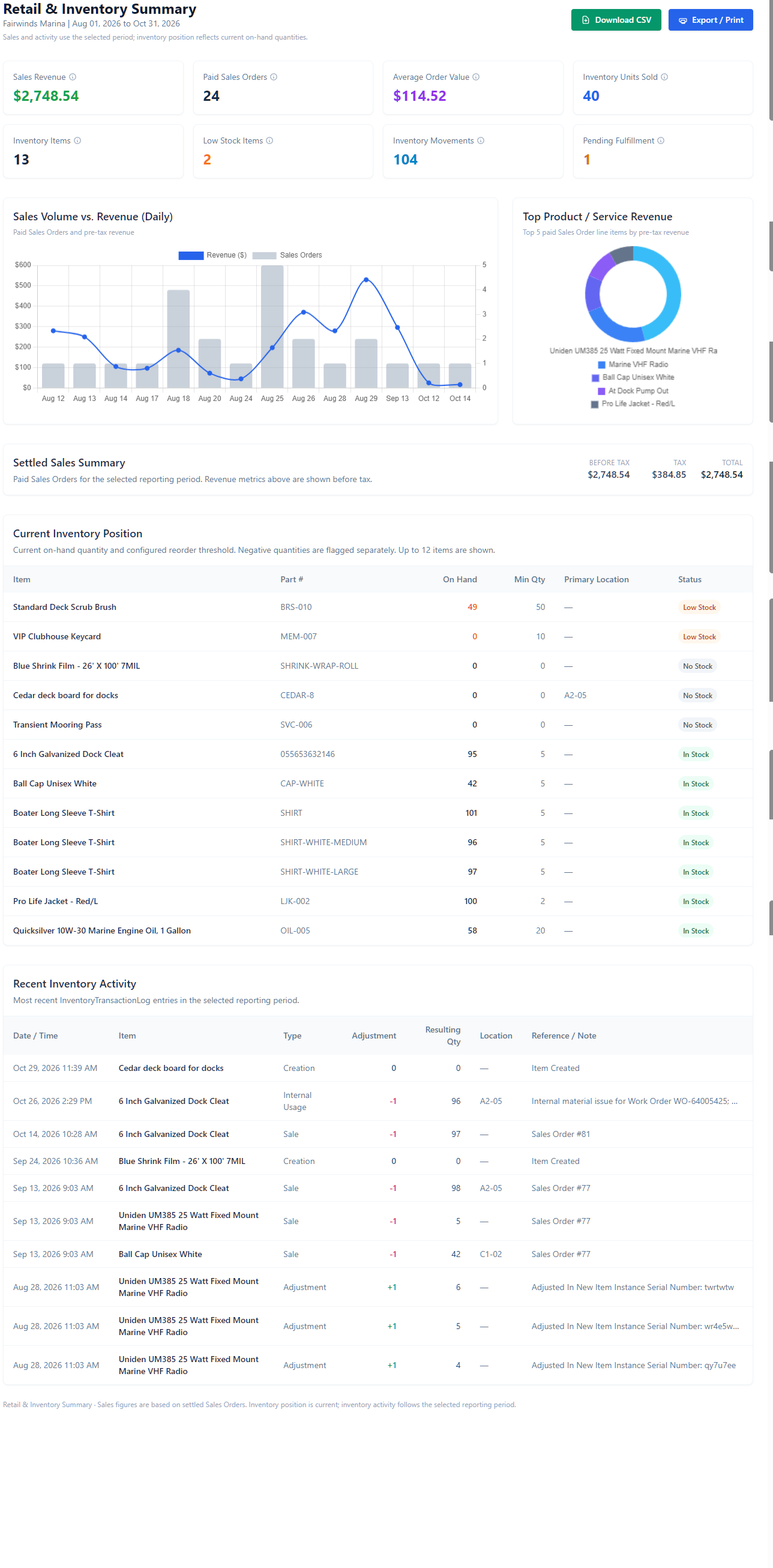
The report heading shows the company and selected reporting period. Use Download CSV to obtain the data in CSV format, or Export / Print for a printable/exported report view.
Read the management indicators
Section |
What it shows |
|---|---|
Sales Revenue, Paid Sales Orders and Average Order Value |
Selected-period sales indicators. Revenue figures in the summary are shown before tax. |
Inventory Units Sold and Inventory Movements |
Selected-period activity indicators. |
Inventory Items, Low Stock Items and Pending Fulfillment |
Operational indicators to help focus follow-up work. |
Sales Volume vs. Revenue (Daily) |
A day-by-day comparison of paid Sales Orders and pre-tax revenue for the selected period. |
Top Product / Service Revenue |
The top five paid Sales Order line items by pre-tax revenue for the selected period. |
Review settled sales
The Settled Sales Summary shows the selected-period before-tax amount, tax and total for paid Sales Orders. Use it as a high-level check of sales activity before drilling into individual orders or finance reporting.
Review current inventory position
Current Inventory Position is a current stock view, not a historical snapshot for the selected date range. It shows up to 12 items with their part number, on-hand quantity, minimum quantity, primary location and status.
Low Stock identifies items at their configured low-stock threshold.
No Stock identifies items with no on-hand quantity.
In Stock identifies items that are not currently in either exception state.
Negative quantities are flagged separately in this section.
Review recent inventory activity
The Recent Inventory Activity table lists Inventory Transaction Log entries in the selected reporting period. It includes Date / Time, Item, Type, Adjustment, Resulting Qty, Location and Reference / Note. Use it to investigate sales, adjustments, creation entries and internal-usage movements.
Use the correct time frame: sales and recent inventory activity follow the selected reporting period, but Current Inventory Position reflects present on-hand quantities. Do not treat the stock-position table as historical inventory as of the report’s end date.
Future custom reports
Any requested Retail & Inventory custom reports will be added under the same Retail & Inventory > Reports menu section. Their filters, definitions and use should be documented when each report is introduced.
Related articles
Retail & Inventory Dashboard
Stock Visibility - Out of Stock and Low Stock
Inventory Quantity Adjustments and Transaction History