

Use the Retail & Inventory dashboard to find stocked items that need review. The Out of Stock and Low Stock tiles open focused worklists rather than changing inventory themselves.
Open the stock worklists
Open Retail & Inventory > Dashboard.
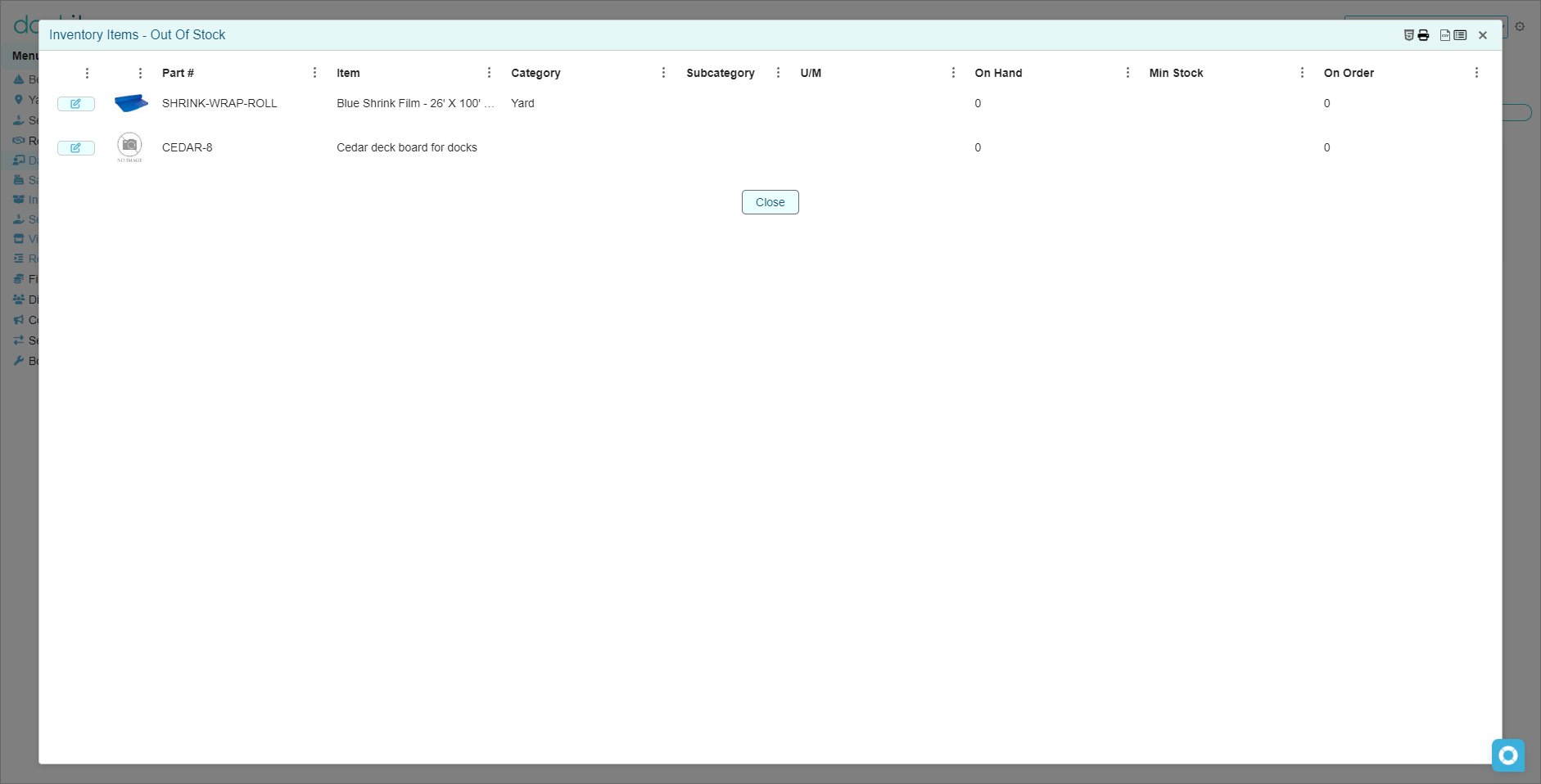
Select Out of Stock to review items with no available on-hand quantity.
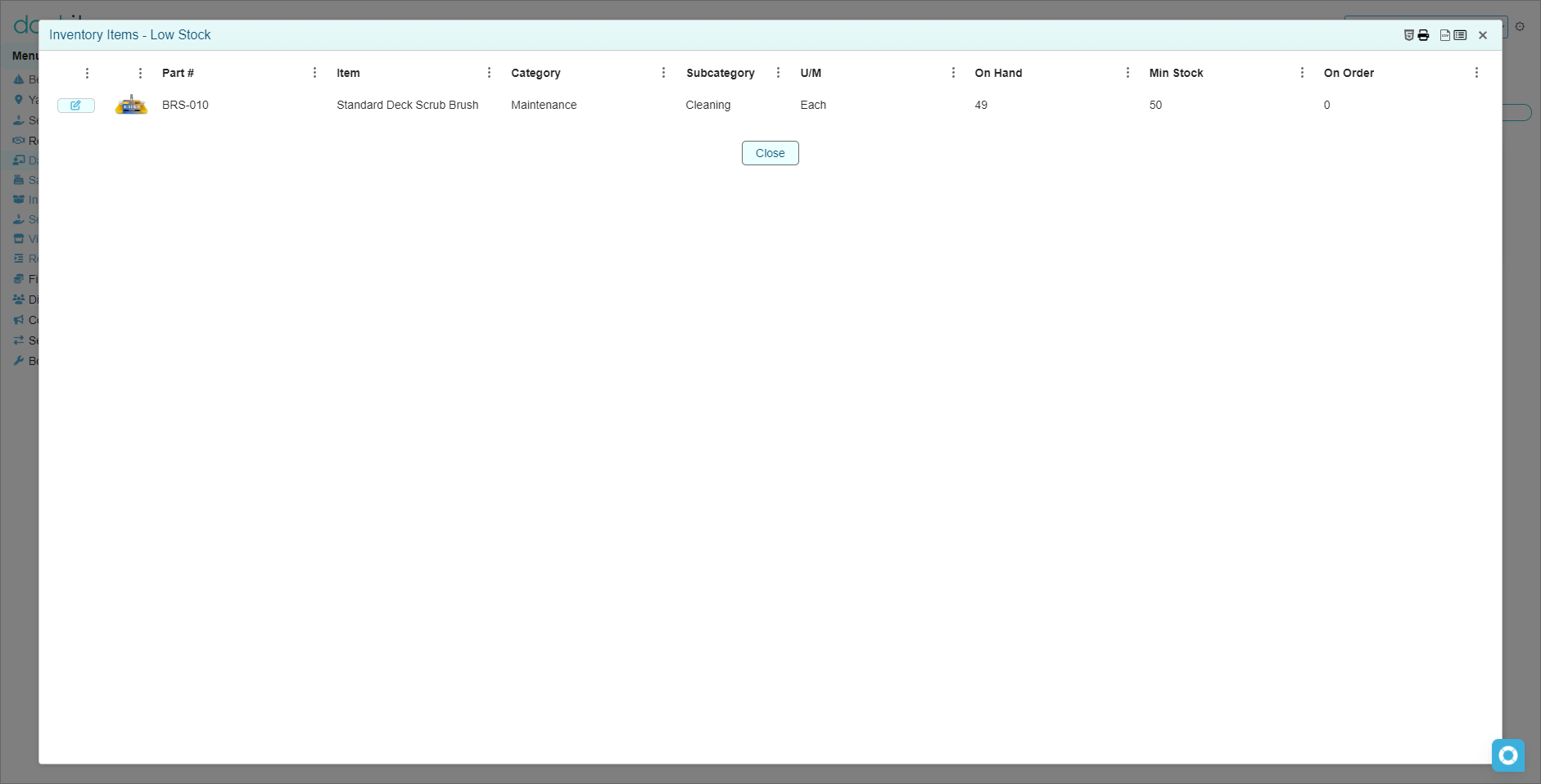
Select Low Stock to review items at or below their configured minimum stock quantity.
Open the item from the worklist to investigate or take the approved next action.
Understand Out of Stock
The Out of Stock worklist includes stocked inventory items whose total on-hand quantity across applicable warehouse locations is zero or below. The list displays Part #, Item, Category, Subcategory, U/M, On Hand, Min Stock and On Order.
Understand Low Stock
The Low Stock worklist includes stocked items with on-hand quantity above zero but at or below their configured minimum stock. For example, an item with 49 on hand and a minimum stock of 50 appears in this list.
Review before acting
Open the item record and confirm its item name, part number and current on-hand quantity.
Review the Warehouse Locations tab to understand where the quantity is held.
Review Actions > View Transaction Log when you need to understand recent stock movement.
Check the On Order figure shown in the worklist before escalating or initiating the marina’s purchasing process.
Do not adjust stock only to clear an alert: use an on-hand adjustment only when there is a real, documented stock correction. A low or zero quantity may correctly reflect sales, consumption, counting results or a pending replenishment decision.
Minimum stock drives the low-stock alert: keep each item’s Minimum Qty current. An item does not appear in Low Stock merely because it has a small quantity; it appears when its quantity reaches the threshold configured for that item.
Related articles
Inventory Items
Warehouses and Locations
Inventory Quantity Adjustments and Transaction History